Watch step-by-step video instructions
-
Registering on the WhiteBIT exchange and passing KYC
In this video you will learn how to create an account on WhiteBIT, set up security and pass verification (KYC).
-
Step-by-step registration instructions.
-
Why verification is needed for safe trading.
-
What documents are needed to confirm your identity.
-
-
Creating an API key to connect the bot
In order for the bot to trade for you, you need to create an API key. In this video we will show you how to do it correctly.
-
Where to find API settings
-
Як створити ключ і задати правильні дозволи.
-
Чому важливо обмежувати доступ до API.
-
-
Setting up Google Authenticator
Two-factor authentication (2FA) is an important security step. In this video you will learn how to set up Google Authenticator to protect your account.
-
Why it is important to enable 2FA.
-
How to install the Google Authenticator app
-
How to link it to your WhiteBIT account and API key.
-
-
Top up your WhiteBIT balance using a credit or debit card
Top up your WhiteBIT exchange balance using a bank card is a quick and easy way. In this video, you will learn how to do it safely.
-
How to find the “Top up” section.
-
Which cards are supported.
-
What are the fees and payment processing times.
-
-
Top up your WhiteBIT balance using cryptocurrency
If you already have cryptocurrency, you can easily transfer it to WhiteBIT. In this video, we will show you how to do it correctly.
-
Where to find your deposit address.
-
How to transfer funds without errors
-
Minimum limits and time for crediting funds
-
-
How to transfer money from a spot wallet to a futures wallet to start trading with a bot
In order for the bot to trade, you need to transfer funds from the main (spot) wallet to a futures wallet. In this video, we will look at how to do this.
-
How to find the “Wallet” section on WhiteBIT.
-
How to make a transfer between wallets correctly.
-
Minimum amount and nuances of futures trading.
-
-
How to connect a 1x10 bot to the WhiteBIT exchange using an API key
This is the main step - connecting a trading bot to the exchange. In this video, we will show you how to properly connect an API key to 1x10.
-
How to copy the API key and paste it into the bot.
-
How to start trading.
-
-
Why can’t you open deals manually while the bot is running?
In this video, we will tell you why you can’t open deals manually on trading pairs that are already being processed by the bot, and what are the alternatives for independent trading.
-
Tariffs
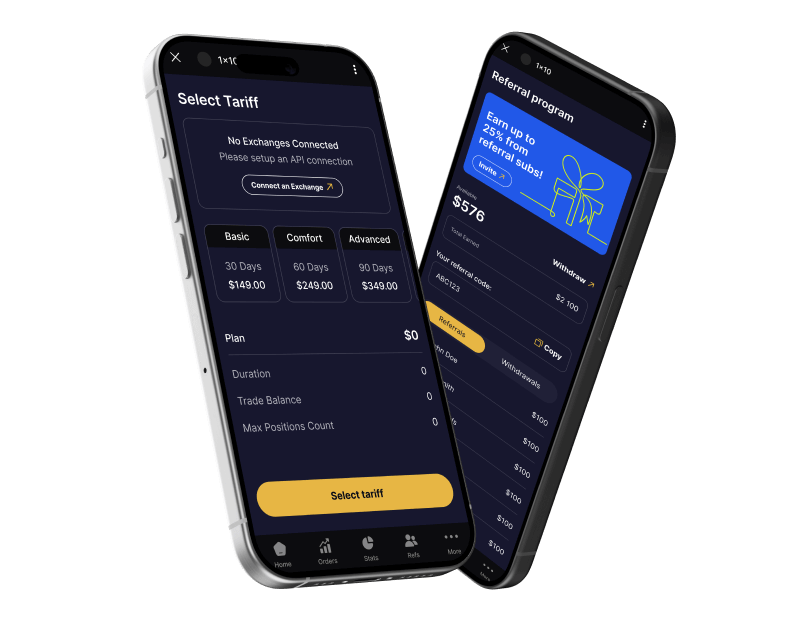
In this video, we will look at three tariffs and find out how they differ Each tariff has its own characteristics:
-
-level of possible income
-
-risks and drawdowns
-
-recommended deposit
-
FAQ
Get Answers to Frequently Asked Questions
-
What is 1x10 and how does it work?
- 1×10 is an automatic trading bot that trades on cryptocurrency exchanges.
- It uses artificial intelligence and algorithms to analyze the market and open deals.
- The bot works 24/7, making decisions based on market data, signals and trend strategies
-
Is the bot safe? Is there a risk of losing funds?
- The bot does not have access to withdraw funds – it uses API keys only for trading.
- All API keys work through secure servers, and the bot itself supports 2FA authentication.
- Trading strategies minimize risks, but trading is always associated with possible losses.
-
How to connect the bot to the WhiteBIT exchange?
- Register on WhiteBIT and go through verification.
- Create an API key (without the right to withdraw funds).
- Insert the API key into the bot settings.
- Select trading pairs and run the algorithm.
You can see detailed instructions at the link
-
Can I stop the bot if necessary?
Yes, you can pause the bot or turn it off via Telegram at any time.
-
Do I need to configure anything after launching the bot?
- By default, the bot works at optimal settings.
- But you can adjust the parameters, change the risk level and connect different trading pairs.
-
How do I receive notifications about deals?
- All updates come to Telegram in real time.
- You can adjust the level of notifications – receive all messages or only critical ones.
-
Does the bot have a referral program?
Yes! Invite friends and get bonuses for their activity.
-
Do you need to have experience in trading to use the bot?
No, the bot is designed for both beginners and experienced traders.
-
Is it safe to use API keys?
- Yes, the bot only works with API keys that do not allow withdrawals.
- You can also set IP restrictions for even greater security.
-
How are risks controlled?
- The bot automatically sets stop losses and take profits.
- Trailing Stop capability – the bot protects profits in case of market changes.
- Dynamic risk management – if the market is unstable, the bot can reduce trading volumes.
-
How can I monitor the bot’s work?
- You will receive notifications in Telegram about each transaction.
- In your personal account, there will be detailed trading statistics.
- You can stop or change the settings at any time.
-
How do I withdraw profits?
- Profits are stored in your exchange account.
- You can withdraw funds at any time through your personal account on the exchange.